Two-Factor Authentication (2FA)
Improve your account security by using an authenticator app.
What is Two-Factor Authentication?
Two-factor authentication (2FA) is a way to improve security and prevent unauthorized persons from accessing user accounts. Practically, 2FA means storing a secret inside an authenticator, usually on a mobile phone, and entering a code from the authenticator when trying to log in.
This means an unauthorized user would need to guess the account password and have access to the authenticator — a significantly more difficult proposition.
Requirements — Authenticator Apps
These lists are examples only and are not endorsements of any specific software.
Phone-based authenticators (most common):
- Authy
- FreeOTP
- Google Authenticator
- Microsoft Authenticator
Password managers with 2FA support:
- 1Password
- Bitwarden
Two-Factor Authentication Setup
- After selecting an authenticator, log in to your account, then click your profile avatar in the upper-right corner and select My Profile.
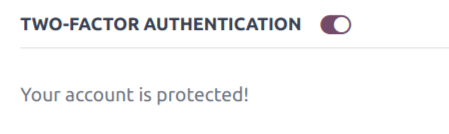
- Click the Account Security tab, then enable the Two-Factor Authentication toggle.
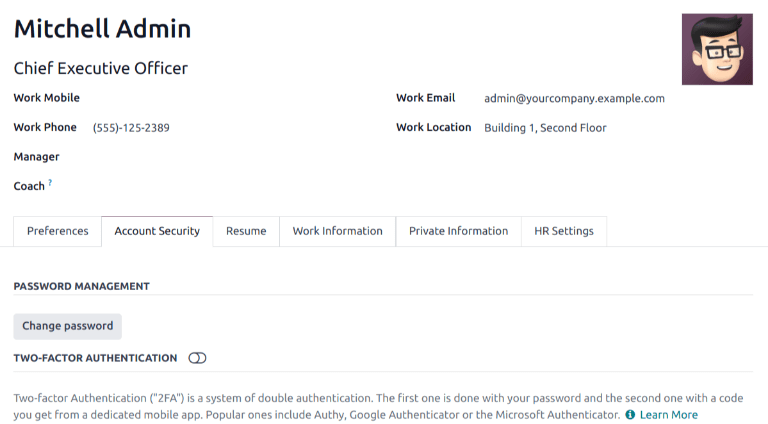
- A Security Control pop-up window appears, requiring password confirmation. Enter your password and click Confirm Password.
- A Two-Factor Authentication Activation pop-up window appears with a QR code.
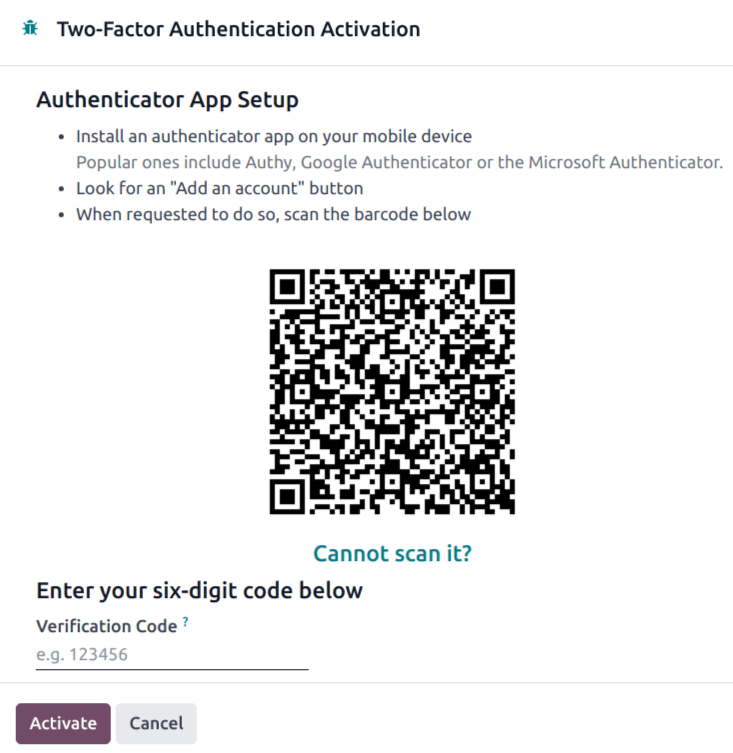
- Using your chosen authenticator application, scan the QR code when prompted.
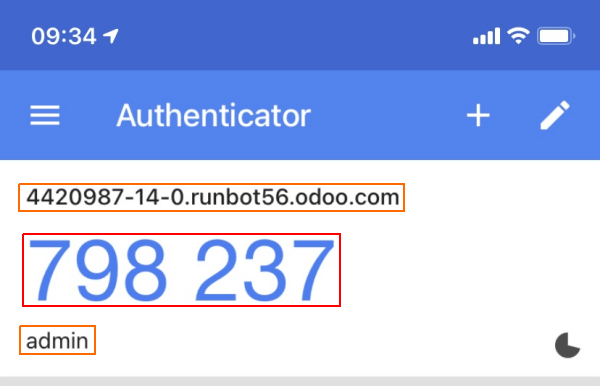
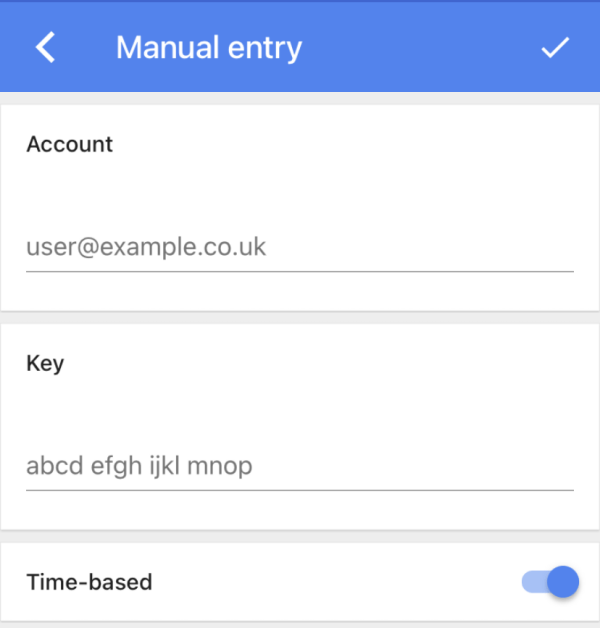
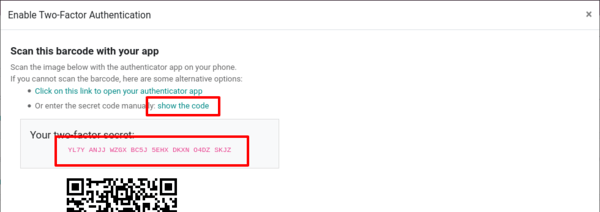
- Once the QR code is scanned or the secret entered, your authenticator app generates a 6-digit code. Enter this code in the Authentication Code field to confirm setup.
Logging In With 2FA
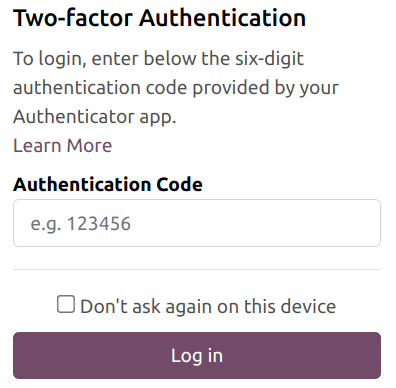
To confirm 2FA setup is complete, log out of your account. On the login page, input your username and password, then click Log in. On the Two-factor Authentication page, input the code provided by your authenticator in the Authentication Code field, then click Log in.
Disabling 2FA
To disable 2FA, log in to your account, click your profile avatar, select My Profile, go to Account Security, and switch off the Two-Factor Authentication toggle. A password confirmation is required.